
Curated content: your ready-to-use library
Everything you approved (documents, campaign posts and images) in one place to reuse and share.
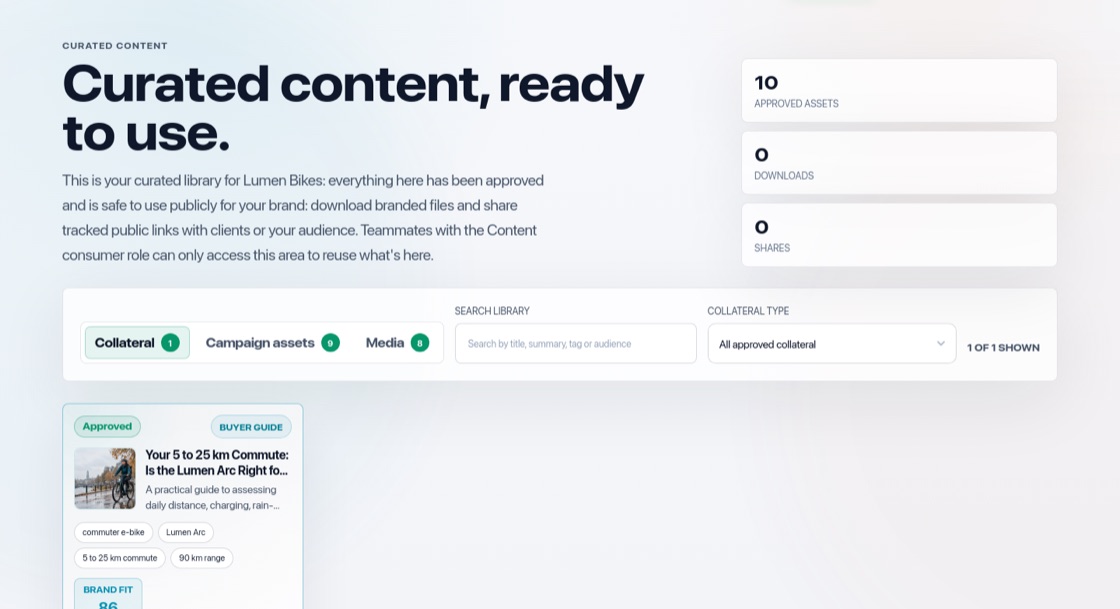
Everything approved, in one place
Open Curated content in the top menu. It has three tabs: Collateral, Campaign assets and Media. It holds approved content and the images you added, never work in progress, so it is safe to reuse or hand over.
For people who only need to use content
Give someone the Content consumer role and they only see this library, called "Content portal" for them. They can view, copy and download approved content, but cannot change anything or see work in progress.
Share a document
Approved documents have a public link (More → "Copy public link") that anyone can open without an account. BrandOps9 counts views and downloads.