Connect an AI agent (Claude, ChatGPT)
Connect Claude, ChatGPT or another agent to BrandOps9 so it can read your workspace and create, approve and schedule content for you.
What this is
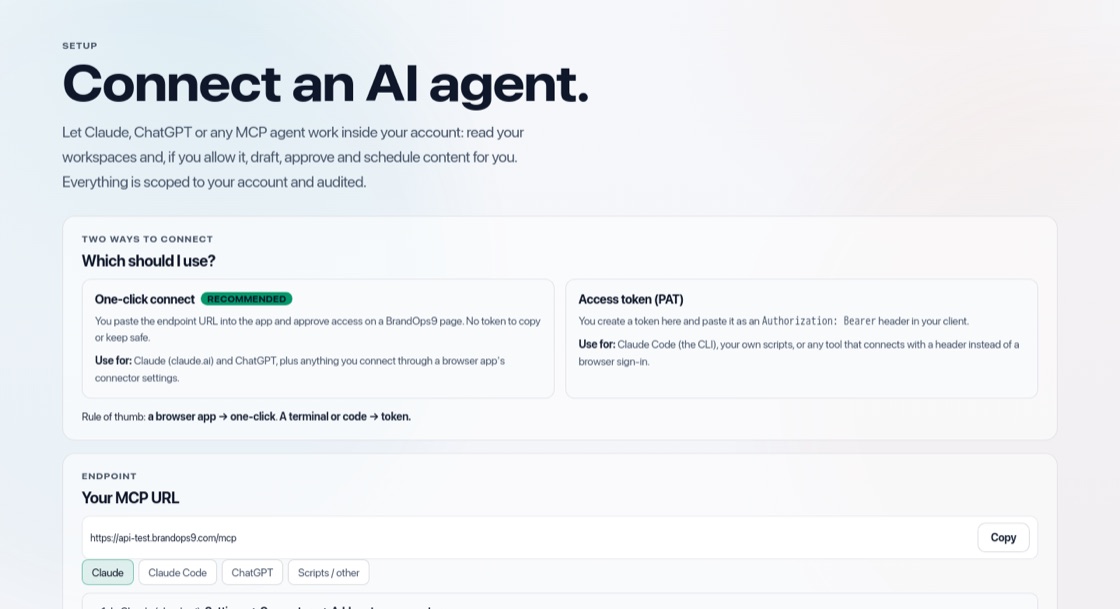
Agent access lets an AI agent you already use work inside your BrandOps9 account: read your campaigns, content, credits, schedule and learning results and, if you allow it, create a brand from a website, write posts and documents, approve them and plan them.
The agent can never do more than you can, and everything it does is logged. Agent access is part of the Growth, Scale and Agency plans.
Open the connect screen
Open Setup & Support → Agent access. You see your connection address, instructions per app, and your access tokens.
Connect Claude or ChatGPT (one click)
In Claude or ChatGPT, open the settings for connectors and add a custom connector with your connection address. When you connect, BrandOps9 asks you to sign in and choose what the agent may do:
- Read only: see workspaces, content, credits, schedule and learning.
- Read + Create: also create brands and write campaigns, posts and documents as drafts (uses credits where your plan meters it).
- Read + Create + Approve: also approve content and schedule it.
Connect with a token
For Claude Code or your own scripts, create a personal access token on the same screen and pick what it may do. You get a ready-to-use command with the token filled in. Copy the token straight away; it is shown only once.
Stay in control
A read-only connection can never change anything. Remove a connection or token on the Agent access screen and it stops working immediately.